Internal linking for SEO is simple to describe and easy to neglect: link your pages to each other so readers and search engines can find them. The common question is how many internal links a blog post should have. There is no official number, but there are reasonable guidelines.
What Google says
Google's guidance is about quality, not quantity. Its documentation on making links crawlable explains that Google can follow links written as an <a> element with an href attribute, and that descriptive link text helps it understand the page you point to. It does not set a target number of links per post. Google's SEO Starter Guide covers links and site structure at a beginner level.
A practical guideline
Many SEO teams use a rule of thumb of roughly 3 to 5 contextual internal links per 1,000 words. Treat it as a starting point, not a rule.
| Post length | Reasonable internal links |
|---|---|
| Around 500 words | 2 to 3 |
| Around 1,000 words | 3 to 5 |
| 2,000 words or more | 6 to 10 |
If every other sentence has a link, you have gone too far. If a post has none, you are wasting the page's ability to help readers.
Where to put them
- Inside the body text, next to the sentence where the link is genuinely useful, rather than only in footers or a "related posts" box.
- Early in the article for your most important related page.
- In both directions. Link from new posts to older ones, then update older posts to point to the new one.
- From strong pages. Your homepage and popular posts pass visitors and discovery to newer pages.
Write good anchor text
Anchor text is the clickable words. Make it describe the destination:
- Good: "our guide to checking backlinks for free"
- Weak: "click here" or "read more"
Vary the wording naturally. Repeating the identical exact-match phrase in every link looks forced and adds nothing.
Link to pages that deserve it
Only link to pages that are useful, indexable, and load directly. Avoid pointing to URLs that redirect, return errors, or are set to noindex. Site audits commonly flag "page has links to redirect", which wastes crawl effort.
Build topic clusters
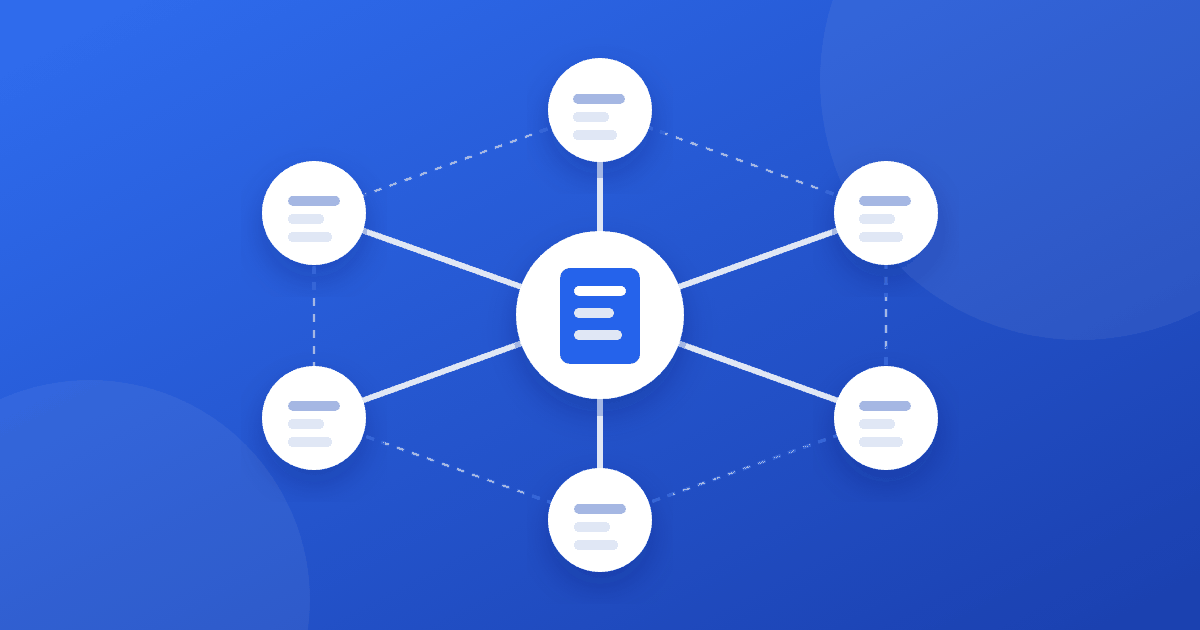
A cluster is one main guide plus supporting posts that each cover a narrower question, all linked together. For example, our guide to no impressions in Search Console links to focused posts on sitemaps, indexing time, backlinks, and keywords. Each supporting post links back to the main guide. Choosing the supporting topics is covered in how to find low-competition keywords.
How to audit your internal links
- Search Console's Links report lists your most-linked internal pages. Pages with few or no links stand out.
- A crawler such as Screaming Frog's SEO Spider (free for smaller crawls) shows every link and its anchor text.
- A site audit in a tool you already use will flag orphan pages, redirects, and broken links.
Look for orphan pages (nothing links to them), redirected links, and important pages buried several clicks deep.
Common mistakes
- Using JavaScript-only elements that are not real links
- Stuffing links into every paragraph
- Linking the same anchor to many different pages
- Linking to redirected or deleted URLs
- Never updating old posts after publishing new ones
Internal links and outbound links
Internal links point to your own pages; outbound links point to other sites. Both matter, for different reasons. See do outbound links help SEO. For the page-level basics, use our on-page SEO checklist.
Frequently asked questions
Should I link to my homepage from every post? Your homepage is already linked from your navigation, so extra links add little. Spend your links on related posts that help the reader.
Do I need exact-match anchor text? No. Descriptive, natural anchors work best. Forcing the identical phrase into every link looks unnatural.
How do I fix an orphan page? Add contextual links to it from relevant older posts, include it in a hub or category page, and make sure it is in your sitemap.
Do internal links help new pages get indexed? They help Google discover pages by giving crawlers a path to them. Discovery is only the first step, since Google still decides what to index.
The takeaway
Aim for a few genuinely useful contextual links per post, written with descriptive anchor text, pointing to indexable pages that help the reader. Link new posts to old ones, update old ones to link back, and audit for orphans and redirects. Good internal linking also speeds up discovery, which helps if your new pages are slow to be indexed.