A new blog cannot beat established sites for broad phrases, but it can win specific ones. Learning how to find low-competition keywords is the single most useful skill for a site with no authority yet. This guide shows a repeatable process using both paid and free tools.
What "low competition" really means
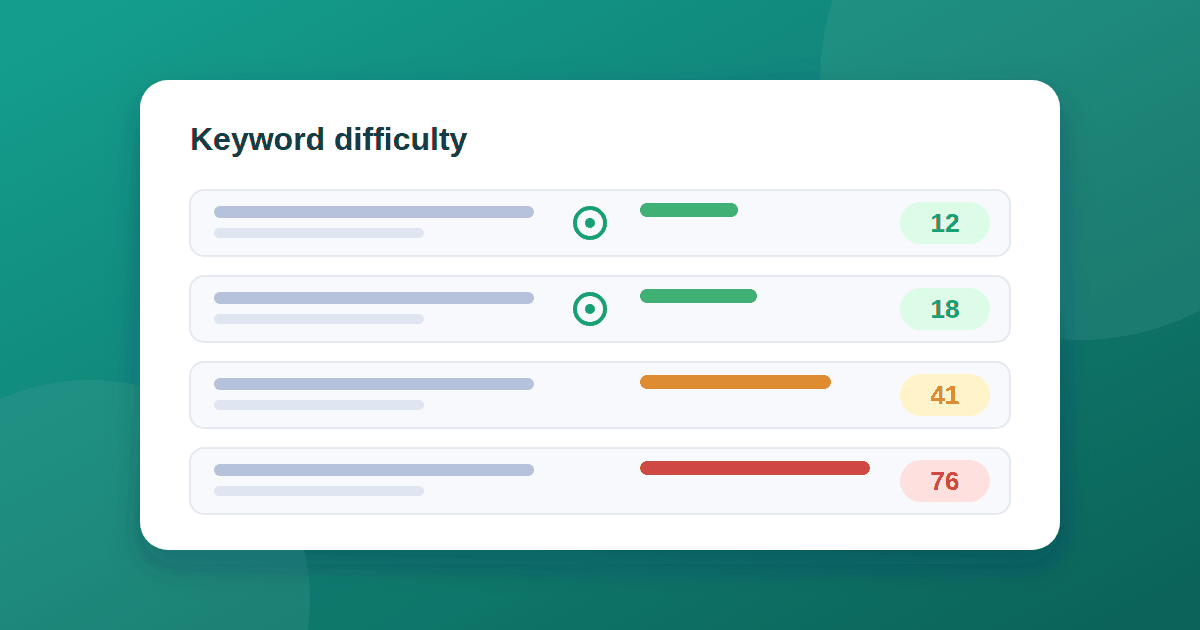
Most tools express competition as keyword difficulty (KD), a score from 0 to 100 that estimates how hard it is to reach the first page. Semrush groups it into six levels: very easy (0 to 14), easy (15 to 29), possible (30 to 49), difficult (50 to 69), hard (70 to 84), and very hard (85 to 100). Its keyword difficulty guide explains how the score is calculated and used.
Two cautions:
- Scores differ between tools, so compare keywords inside one tool.
- A keyword that is easy for a strong site can be hard for a new one. For a new blog, start with very easy and easy keywords.
Longer, more specific phrases tend to have lower difficulty. This is the idea behind long-tail keywords: each searched less often, but together they add up and convert well.
Step 1: Pick a narrow topic
Choose one subject you can write about with real knowledge. A tight topic lets you build depth and internal links, which is easier than spreading thinly across many areas. Write down five to ten seed phrases.
Step 2: Expand the seeds
Use a keyword tool and look at the related phrases and questions:
- Semrush: open Keyword Magic Tool, enter a seed, and use the Questions tab.
- Ahrefs: use Keywords Explorer's matching terms and questions reports.
- Free options: Google autocomplete, People Also Ask boxes, related searches at the bottom of a results page, and the queries already shown in your Search Console.
Step 3: Filter the list
Start with these filters and adjust:
- KD: 0 to 29 in Semrush's scale
- Volume: small but real, for example 50 to 1,000 searches a month
- Intent: informational, since you are writing blog posts
- Type: question and "how to" phrases
Low volume is fine. Ten pages that each attract a modest number of visitors beat one page that never ranks.
Step 4: Check the results page by hand
The score is an estimate, so look at the actual results for each candidate:
Signs of an opening
- Forum threads or community questions ranking on page one
- Small or new sites in the top results
- Old articles that no longer match the current situation
- Pages that only partly answer the query
Signs to avoid
- Only big brands and official sites in the top results
- Several pages built specifically around the exact phrase
- Results filled with features that take most of the space
Step 5: Match the intent
Look at what kind of page ranks: a step-by-step guide, a list, a tool, a definition. Your page should be the same type, only clearer or more useful. Publishing a long essay where Google shows short how-to guides rarely works.
Step 6: Group keywords into clusters
Cluster related keywords into one main page and a few supporting pages, then link them together. Our guide to internal linking shows how. Aim to cover one topic thoroughly before you start another.
A worked example
Take the broad phrase "SEO". It is dominated by large publishers and is out of reach. Narrow it down to a real problem: "how long does Google take to index a new website" or "sitemap couldn't fetch in Search Console". These are specific, problem-based questions from people who want a direct answer. See our guides on how long Google takes to index a new website and sitemap "Couldn't fetch".
Common mistakes
- Chasing volume alone and ignoring difficulty
- Ignoring intent and writing the wrong type of page
- Writing several near-identical posts for slight wording changes
- Choosing keywords unrelated to what your site is actually about
- Expecting results within days
Tools worth considering
If you are choosing a keyword tool, run it through our 10-check guide to evaluating SaaS tools first. Google Trends is a free way to compare interest in phrases over time. Whatever you use, follow the same basics from our on-page SEO checklist once you have chosen a target.
The takeaway
A new blog wins by being specific. Narrow your topic, expand it into questions, filter for low difficulty and real volume, and check the results page by hand. Publish a cluster of connected posts, then review Search Console. If you still see nothing, read 7 reasons for no impressions.