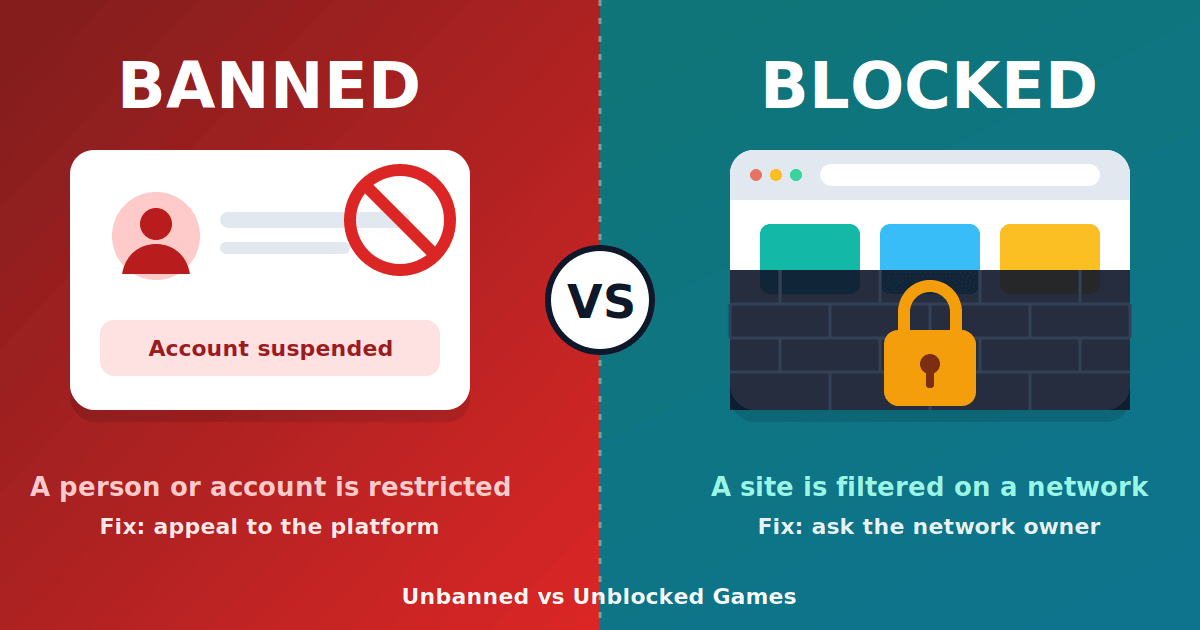
"Unbanned games" and "unblocked games" are used as if they mean the same thing, and on game hub sites they usually do. Strictly, though, "banned" and "blocked" are different ideas. A ban is a penalty applied to a person or account. A block is a barrier placed on a website or network. Knowing which one you are dealing with matters, because the fix is completely different. This guide explains both terms, why game sites use them interchangeably, and what neither one says about safety.
The short answer
| Banned | Blocked | |
|---|---|---|
| What is restricted | A player or account | A website, app or category |
| Who decides | The game or platform owner | The network owner (school, employer, router settings) |
| Usual cause | Breaking the platform's rules | Filtering policy or a security rule |
| How it ends | An appeal or a time limit | A change to the filter |
| Typical search | "how to get unbanned" | "unblocked games at school" |
What "banned" means
In gaming, a ban is a restriction on an account, device or player. Platforms apply bans for reasons such as cheating, abusive chat, fraud or breaking their terms of service. Bans can be temporary or permanent, and most platforms publish an appeal process in their support pages.
When someone searches "how to get unbanned", they almost always mean this: a particular account was penalized. The only reliable route is through the platform's own support and appeal process. Third-party "unban" tools, paid services and generators are scams more often than not, because only the platform can lift its own ban.
What "blocked" means
A block is applied by whoever runs the network you are on. A school filter might stop a whole category of sites. An employer might block specific domains. A home router might have parental controls. In each case, the person is not being penalized. The site simply cannot be reached from that network.
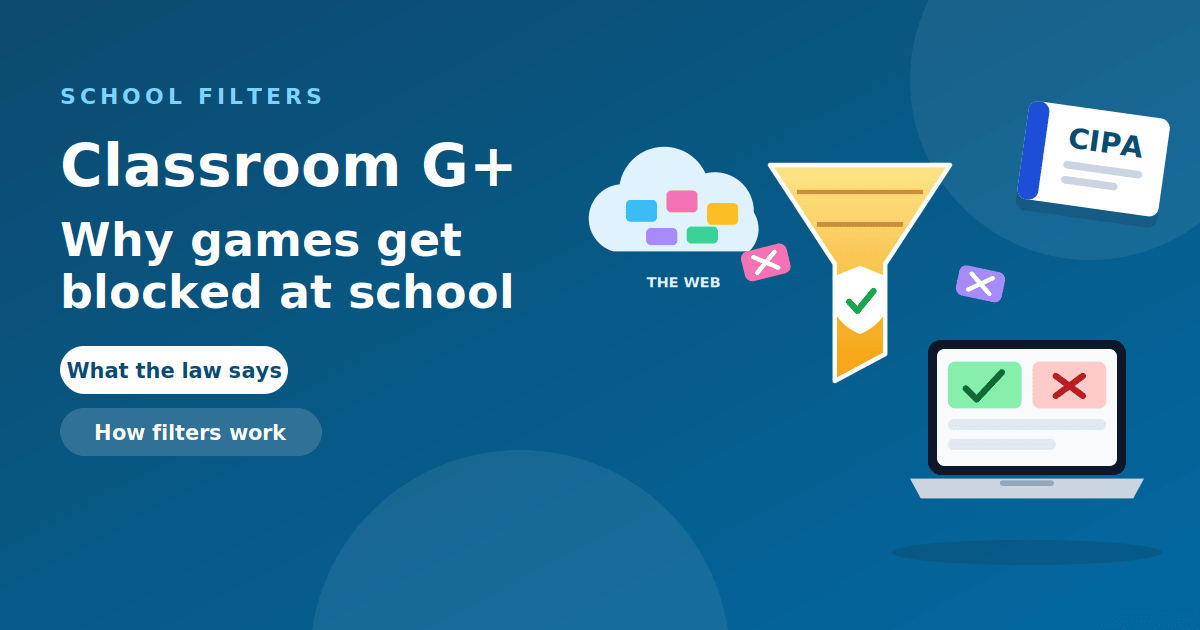
In US schools, filtering is tied to the Children's Internet Protection Act, which requires schools that receive E-Rate funding to adopt an internet safety policy with filtering, according to the FCC, and USAC, which runs E-Rate, lists the same requirement. Our guide on why games get blocked at school explains how that works in practice.
Why game sites use both words
Game hub sites use "unblocked" and "unbanned" because both terms attract searches. A player who is frustrated that games are blocked at school may type either word. A site that includes both in its name or description captures more of those searches.
There is also a loose, informal sense of "unbanned": a site that a school has not banned yet. People use it that way for sites they hope are not filtered. That is a hope about a filter, not a property of the site.
"Unbanned G+", "unbanned G" and similar searches
You may have arrived here from a search such as "unbanned G+", "unbanned G games" or "unbanned games G". These are variations on the same idea: a game hub that someone hopes is reachable from a restricted network. The "G" or "G+" is shorthand rather than an official product name. We explain what it usually refers to in our guide to Unblocked Games G+ and in What Is G+ in Gaming?.
Search engines also see many typos, such as extra punctuation or missing letters. They all mean the same thing. If you land on a page whose address does not match what you meant to open, close it and check the address before going further.
What neither term tells you
Neither word says anything about safety. A site can be unblocked and full of fake download buttons. A site can be "unbanned" and still request notification permissions and sign-in details it does not need. The labels describe availability, not quality.
To judge a site, use the habits in our main guide to unblocked games: check the full address, run it through Google's Safe Browsing site status tool, never download anything, and never sign in with a school or email account. The FTC explains how fake security warnings and pop-ups work, and why you should never call a number shown in one.
A quick test: which one do you mean?
If you are not sure whether your problem is a ban or a block, these questions settle it in under a minute.
- Does the game or site work on another network? If you can open it on your phone's mobile data or at home, the site itself is fine and the original network is blocking it. That is a block.
- Can you still sign in on another device? If your account is refused everywhere, with a message about a violation, you have a ban.
- Does the page load but say your account is suspended? That is a ban, and the message usually says how to appeal.
- Does the page not load at all, or show a "blocked" or "restricted" screen? That is a block, set by whoever runs the network.
The answer decides where you go next. For a ban, use the platform's appeal form. For a block, the only legitimate step is to ask the network's owner. In a school, that means a teacher or the IT team, who can review a site that is wrongly blocked. Looking for ways around the filter is a different matter and usually breaks the rules.
Common reasons accounts get banned
Platforms differ, but a few reasons come up again and again: cheating or using unauthorized software, harassment or abusive chat, fraud or chargebacks, sharing or selling accounts, and repeated reports from other players. Many platforms use automated systems that flag unusual activity, so a ban sometimes follows a mistake rather than a deliberate violation. That is one reason appeals matter: the platform can review the decision and restore the account if it was wrong.
To avoid a ban in the first place, read the platform's terms of service and community rules, keep your login private, and avoid third-party tools that promise advantages. They are a common trigger, and they are also a common way to lose an account to a thief. For a wider view of how scams target players, the FTC's phishing guidance is a good read.
If your own account was banned
- Read the notice. It usually states the reason and whether the ban is temporary.
- Use the official appeal form. Go to the platform's support site by typing the address yourself, not through a link in a message.
- Be honest and specific. Explain what happened and attach any evidence the platform asks for.
- Wait for the answer. Repeated appeals and new accounts can make the outcome worse.
- Ignore anyone selling an "unban". Only the platform can reverse its decision.
Frequently asked questions
Is "unbanned" the same as "unblocked"? On game hub sites, yes, in practice. In strict terms, a ban applies to an account and a block applies to a site.
Are unbanned games safe? The word does not tell you. Check the site using the safety checklist in our main guide.
Why does my school block games? To manage focus, bandwidth and security, and because filtering is part of how many schools meet legal requirements.
Can I get unbanned from a game for money? No legitimate service sells that. Appeal through the platform.
What does "unbanned G+" mean? It is a search phrase for a game hub that someone hopes is reachable from a restricted network. The "G+" is shorthand, not an official product.
What should I do if a game site asks me to sign in? Leave. A simple browser game does not need your account.
The takeaway
A ban restricts a person, and a block restricts a site. Game hubs use "unbanned" and "unblocked" interchangeably to attract searches, and neither word says a site is safe. If your account was banned, use the platform's official appeal. If a site is blocked, respect the network's rules and choose safer options.