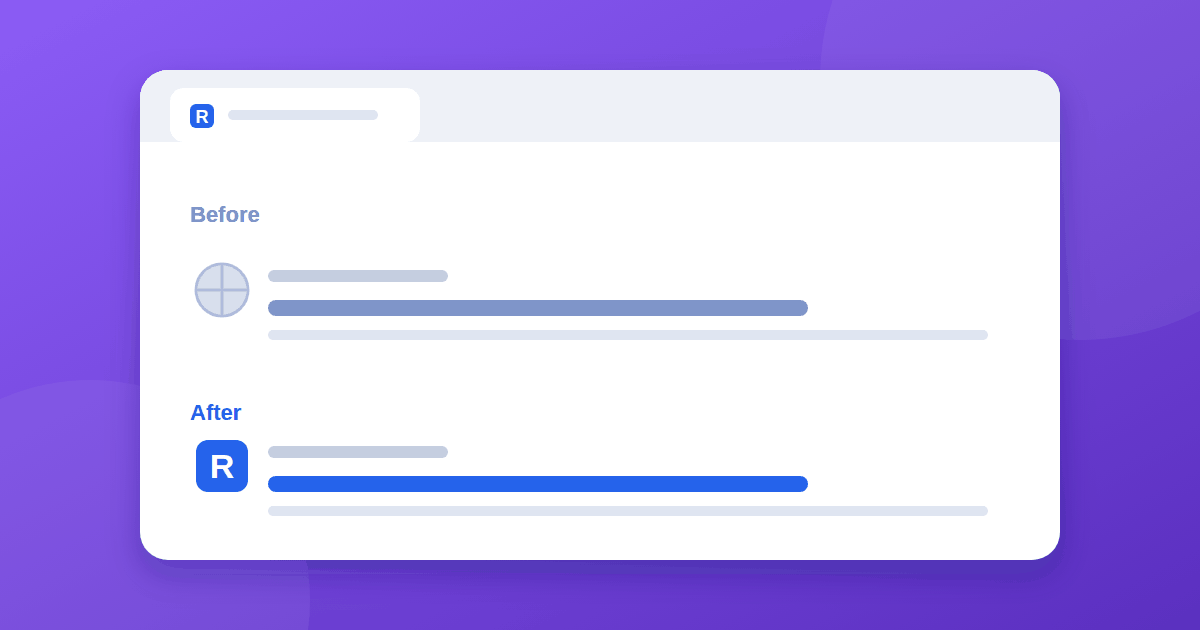
Your favicon appears in the browser tab, but Google search results still show a generic globe next to your site. A favicon not showing in Google search results is usually a mix of waiting and a few technical checks. This guide covers both.
How Google chooses your favicon
According to Google's favicon guidelines:
- Google supports one favicon per site, where a site means a hostname.
www.example.comandcode.example.comcan have different ones. - Google reads the favicon from a
<link>tag in the<head>of your home page. - It looks for and updates the favicon whenever it crawls your home page.
- Crawling can take several days to several weeks.
- A favicon is not guaranteed to appear, even when every guideline is met.
The favicon in your browser tab is fetched instantly by the browser. Google's search results use a separate process on Google's own schedule, so the two often disagree for a while.
Why your favicon is not showing in Google
- The link tag is missing or wrong. Google relies on
rel="icon",rel="apple-touch-icon"orrel="apple-touch-icon-precomposed". - The home page has not been recrawled since you added it. This is the most common reason on a new or rebuilt site.
- The favicon file returns an error. Open the file URL directly and confirm it loads.
- It is blocked. Googlebot and Googlebot-Image must be able to crawl both your home page and the favicon file. Check robots.txt.
- The image is unsuitable. It should be a clear square image. Google's guidelines set size requirements, so check the current numbers in the documentation. A PNG of 96×96 pixels or larger, or an SVG, is a safe choice.
- Your home page is not indexed. If Google has not indexed the home page, it cannot pick up the icon. Read 7 reasons for no impressions.
- The hostname is inconsistent. If your site answers on both
wwwand non-www, redirect one to the other so Google sees a single site.
A working setup
New to favicons? Our step-by-step guide to adding a favicon to a static HTML website covers creating the files.
Put tags like these inside the <head> of your home page:
<link rel="icon" href="/favicon.ico" sizes="any">
<link rel="icon" type="image/png" sizes="96x96" href="/favicon-96x96.png">
<link rel="icon" type="image/svg+xml" href="/favicon.svg">
<link rel="apple-touch-icon" href="/apple-touch-icon.png">
Then confirm that each file URL opens in your browser with no redirect or error.
Design for tiny sizes
Favicons are shown very small, often 16 pixels wide. Keep the design simple: one bold letter or shape, strong contrast, and no thin lines or fine text. Avoid changing the file URL often, since a stable address is easier for Google to keep.
Speed it up
- Fix any problem above.
- Open the URL Inspection tool, enter your home page, and request indexing.
- Wait. Google says updates can take a few days or longer.
- Check by searching for your brand or domain, and look at both mobile and desktop.
If the sitemap is also giving you trouble, see sitemap "Couldn't fetch" fixes. To understand the wait, read how long Google takes to index a new website.
When to worry
If a few weeks have passed, the home page is indexed, the file loads, and nothing is blocked, recheck the tag and image guidelines. Because the icon is not guaranteed, a small delay or an occasional miss is not a sign of a penalty.
Frequently asked questions
Why does my favicon show in Chrome but not in Google? The browser requests and caches the icon directly. Google uses its own process, which updates when it crawls your home page, so it lags behind.
Can I set a different favicon for each page? No. Google supports one favicon per site, defined by the hostname, and it applies to the whole site.
Does a missing favicon hurt my rankings? Google presents the favicon as part of how your site can appear in results. It does not describe it as a ranking factor, so treat it as a branding detail rather than an SEO lever.
Can the favicon appear if my home page is not indexed? Not reliably. Google reads the icon when it crawls your home page, so get that page indexed first.
Do I still need a favicon.ico file?
Any supported format works when linked correctly. Keeping a /favicon.ico in the site root is still sensible because many browsers request it by default.
Quick troubleshooting table
| Symptom | Likely cause | Fix |
|---|---|---|
| Globe icon in search, correct icon in tab | Home page not recrawled yet | Request indexing, then wait |
| Icon file returns 404 | Wrong path or file not uploaded | Fix the href and re-upload |
| Icon exists but never appears | Blocked or home page not indexed | Check robots.txt and indexing |
| Icon differs on www and non-www | Two hostnames | Redirect one to the other |
The takeaway
Your favicon can look perfect in the browser and still not appear in Google. Make sure the home page has correct link tags, the file loads and is not blocked, and the home page is indexed. Request indexing of the home page once, then be patient for a few weeks.