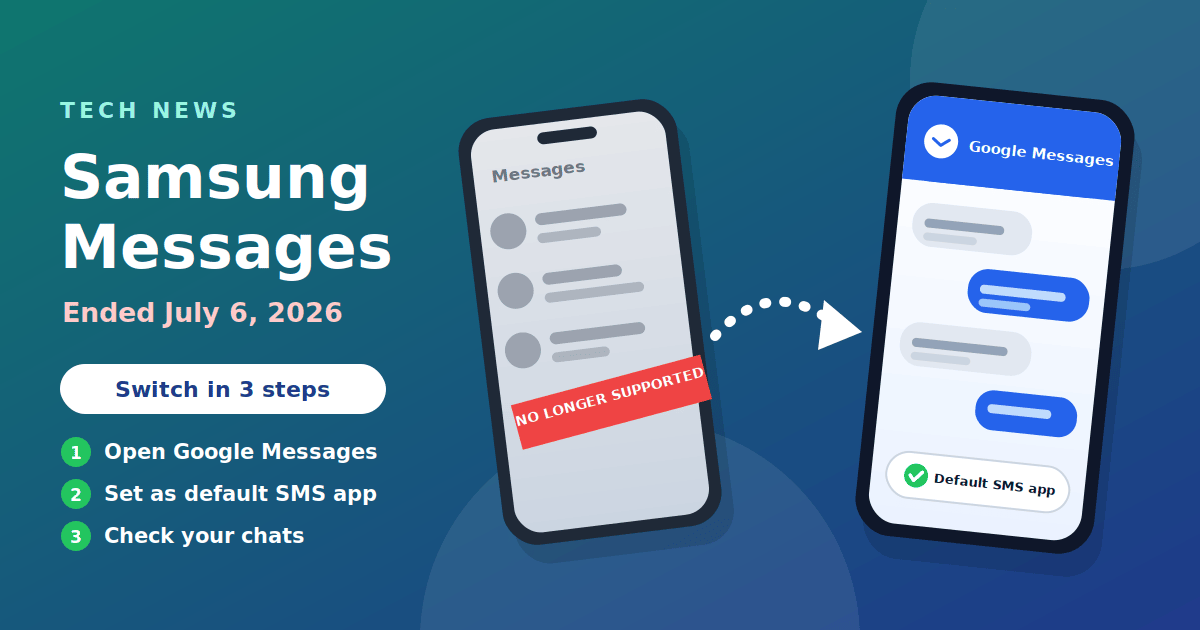
Samsung discontinued its Messages app in the US on July 6, 2026, and told Galaxy users to move to Google Messages. If you still use Samsung Messages, set Google Messages as your default texting app. Your existing SMS and MMS history should carry over automatically, and the switch takes about a minute. This article explains what changed and how to do it safely.
What happened
Samsung announced the end of service in April 2026 (Samsung's notice; also covered by the Associated Press and Android Central), saying the app would be discontinued in July 2026. Wikipedia lists the discontinuation date for the US market as July 6, 2026, and SamMobile confirmed the shutdown on that day. After the cutoff, Samsung said, sending messages through the app would no longer be possible, except to emergency service numbers or emergency contacts set on the device. The app also stopped being available to download from the Galaxy Store.
This is the end of a long transition. Samsung made Google Messages the default on newer Galaxy phones in 2022 and stopped pre-installing Samsung Messages on new devices from 2024, starting with the Galaxy Z Fold 6 and Flip 6. The Galaxy S26 series could not install Samsung Messages at all.
Who is affected
- US Galaxy phones, tablets and watches still using Samsung Messages. The announcement named the US market only, so check Samsung's page for your country.
- Android 11 or lower: Samsung's end-of-service page says the US shutdown applies to devices running Android 12 or newer, so older versions are not affected.
- Newer Galaxy phones: if you bought a phone in the last few years, Google Messages is probably already your default and you do not need to do anything.
To check, open your texts. If the app says Samsung Messages, or you see a prompt to "set as default", you are affected.
How to switch to Google Messages
- Open the Google Messages app. If it is not on your phone, install it from the Google Play Store (Google's Messages Help Center has current steps).
- Tap Set default SMS app when the prompt appears. If you do not see it, go to Settings, then Apps, then Choose default apps, and pick SMS app.
- Select Google Messages and confirm with Set as default.
- Move the Google Messages icon to your home screen. On Android 12 and 13, Samsung warned that the icon will not appear there on its own.
The steps are the same on tablets. On a watch, update the Google Messages app and check the companion app on your phone.
What happens to your texts
When you change your default messaging app, your SMS and MMS history should appear in Google Messages without any action from you. Before you switch, it is still sensible to back up your phone with Samsung Cloud or Google One, especially if you keep important conversations such as bank codes or receipts.
Photos and videos from group chats may look lower quality if the group is not using RCS, because plain MMS compresses media. That is a limit of MMS, not of the app.
RCS and group chats
RCS is the newer standard that adds read receipts, typing indicators and better media. Both apps supported it, which is why the change matters. Samsung warned that on Galaxy phones from before 2022, switching apps may temporarily disrupt ongoing RCS conversations. If a chat stops working after the switch, check that RCS chats are turned on in Google Messages settings, wait a few minutes for the service to reconnect, and then send a new message to restart the chat.
Other apps you can use
Google Messages is the option Samsung recommends, and it is the safest choice because it is built for RCS. You can use another SMS app if you prefer:
- A different default SMS app from the Play Store, as long as you are happy with its privacy policy and permissions.
- Carrier messaging apps, which some networks still offer. Before you install any replacement, use the checks in our guide to evaluating a software tool: who makes it, what permissions it asks for, and what it does with your data.
- Chat apps like WhatsApp or Signal for friends who use them. They do not replace SMS, which is still needed for bank codes and delivery texts.
Whichever app you choose, only one can be the default SMS app at a time.
Watch out for scams
Fox News and other outlets noted that scammers started using the shutdown as bait. Be careful with:
- Texts or emails saying your messages will be deleted unless you click a link.
- "Samsung" or "Google" support calls that ask for codes or remote access.
- Fake apps with a similar name. Install only from Google Play, and check the developer is Google LLC.
Samsung's own notice appears inside the Samsung Messages app. If you are unsure, use the in-app prompt or Samsung's official website instead of a link in a message. The same rule applies elsewhere: our safety checklist for unfamiliar websites and our Instagram guide both warn against entering passwords or downloading software from sources you do not trust.
Troubleshooting after the switch
Most people switch without trouble, but a few problems come up often. Work through them in this order.
- Messages will not send. Open Settings, then Apps, then Choose default apps, and confirm that Google Messages is the SMS app. Only the default app can send and receive texts.
- Group chats act strangely. Open Google Messages, go to Settings, then RCS chats (labelled Chat features on some versions), and check that chats are turned on. Wait a few minutes after switching, then send a fresh message to the group.
- Picture messages fail. Check that mobile data is on, since MMS needs a data connection, and that your carrier's access point settings are correct. Restarting the phone often fixes it.
- Old conversations look missing. Pull down to refresh the list. If a thread is still gone, check the Archived and Spam folders, which Google Messages handles separately.
- Notifications stopped. In the phone's app settings, make sure Google Messages notifications are allowed, and remove any leftover battery restrictions.
- Verification codes do not arrive. Confirm that Google Messages has permission to read SMS, and check whether the sender's text went to the Spam folder.
Privacy and security tips
Switching apps is a good time to check what each one can see. Google Messages asks for permission to your contacts, SMS and phone so that it can work as a texting app. That is normal for any default SMS app, but it means you should only install the official app from Google LLC.
RCS chats between two people using Google Messages support end-to-end encryption (see Google's Help Center), which means that only the sender and receiver can read the messages. Ordinary SMS and MMS texts do not have that protection, so avoid sending passwords, ID numbers or bank details by plain text. A lock icon on a conversation shows the encrypted status.
Also review the app's settings for spam protection, which can filter suspected scam texts, and for what is backed up to your Google account. If you prefer not to back up messages to Google, turn that off, but make sure you have another way to save any messages that you need to keep.
Frequently asked questions
When was Samsung Messages discontinued? Samsung announced the end of service in April 2026, and Wikipedia lists the US discontinuation date as July 6, 2026.
Is it only in the US? The announcement named the US market only. Check Samsung's page for your country before assuming the same date applies.
Will I lose my old texts? Your SMS and MMS history should appear in Google Messages when you set it as the default app. A backup before switching is still sensible.
Can I still use Samsung Messages in an emergency? Samsung said messages could still be sent to emergency service numbers and emergency contacts set on the device after the cutoff.
Do I have to use Google Messages? No. It is the app Samsung recommends, but you can choose another SMS app from the Play Store as your default.
Does this affect my Galaxy Watch or tablet? Samsung's notice covered phones, tablets and watches. On tablets, follow the same default-app steps. Samsung's page says watches launched before the Galaxy Watch4 cannot support Google Messages, so check it for your model.
Does it cost anything? No. Google Messages is free, and normal carrier rates for SMS and MMS apply as before.
Is the shutdown a scam? The shutdown is real and was announced by Samsung, but scammers have used it as bait, so only follow the in-app prompt or Samsung's official site.
The takeaway
Samsung Messages is gone in the US, and Google Messages is its replacement. Open Google Messages, set it as your default SMS app, move its icon to your home screen, and check that your chats work. Back up first if your messages matter, and ignore any text that tells you to click a link to "save" your messages. More explainers like this live in our Tech News section.