To see your latest Instagram follow activity, open your profile, tap Following, and sort the list by date followed, newest first. That shows the accounts you followed most recently. Seeing who followed you most recently is less direct: Instagram does not give the Followers list a dependable date sort, so you use your activity feed for recent follows and a data download for exact dates.
The wording matters here, because "latest followers", "recently followed", and "recent follow" are used for two different things. This guide covers both and says which tool in the app answers which question. Instagram changes its menus often, so the labels below may look slightly different on your version.
Followers vs following
- Followers are the accounts that follow you.
- Following is the list of accounts you follow.
"Recently followed" usually means accounts you followed. "Latest followers" means accounts that followed you. People search for one and read results about the other, which is why so many answers online seem to contradict each other. Decide which list you want before you start. This guide focuses on followers; for accounts you followed, see our guide to recently followed on Instagram.
See who you followed recently
This is the part Instagram supports directly, on your own account.
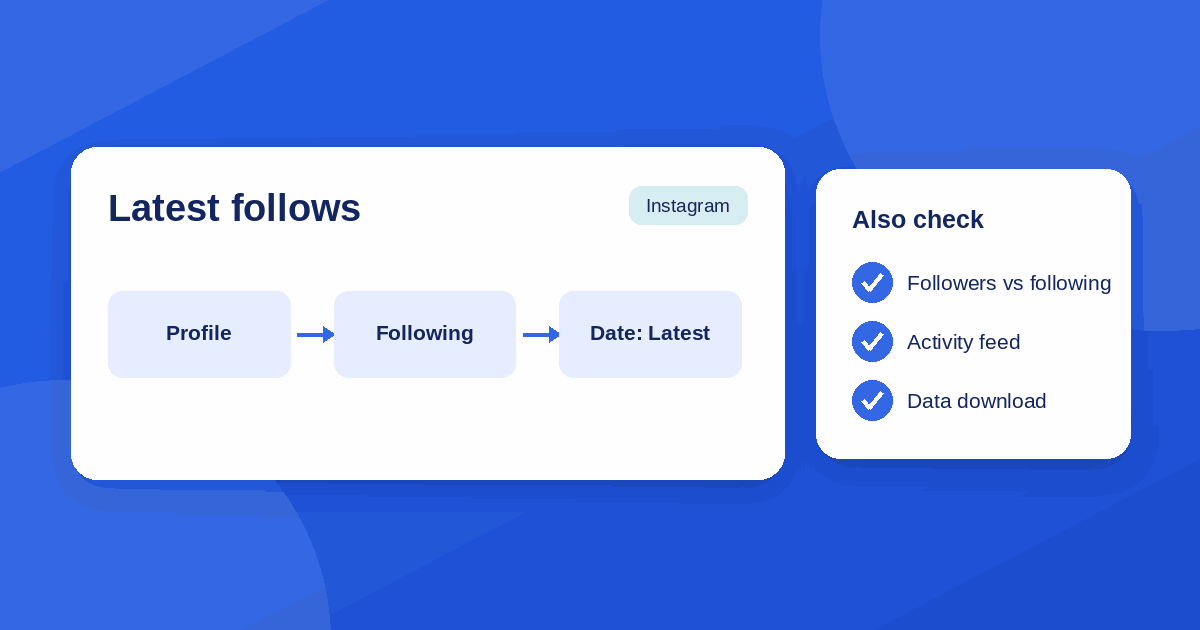
- Open the Instagram app and go to your profile.
- Tap Following under your bio.
- Tap the sort control near the top of the list. It is labelled Sort by or shown as an icon.
- Choose Date followed: Latest for newest follows first, or Date followed: Earliest for your oldest.
The same area has a Categories section that can show accounts you interact with least or see most in your feed. It is useful when you want to tidy the list, not for finding recent follows.
See your newest followers
Instagram used to order the Followers list from newest to oldest. Reports say that default was dropped around mid-2021, and today the order is based on relevance, so the person at the top is usually not the latest to follow you. Published guides disagree on whether the Followers list has a date sort at all. The safest reading is that you should not count on it, and check your own app to see whether a sort control appears.
These routes work reliably:
- Activity or notifications. Open the notifications (heart) screen. New followers appear as "started following you" with a rough time, usually under the This Week section. It covers recent days, not your whole history, and notifications can be filtered or switched off, so some follows may not show.
- Search the Followers list. If you know the name of the person you are looking for, the search box in the Followers list finds them quickly.
- Check your follower count. If the number rose and you want to know why, compare your Followers list over a few days. This is slow, and only practical for small accounts.
Get exact dates with a data download
If you want a complete list with dates, request a copy of your data. In the app, go to Settings, open Accounts Center, then Your information and permissions, then Download your information. Choose your Instagram account, pick the followers and following data, and request the export. Instagram sends it to your email or makes it available for download, usually in HTML or JSON.
The followers and following files in the export include a timestamp for each entry, so you can sort by date in a spreadsheet. This is the best method for exact dates. It is a snapshot, so new follows after the request will not be in it. The Instagram Help Center has current steps if the menu names have changed.
What you can and cannot see on other accounts
On someone else's profile, you can open their Followers or Following list if the account is public or if you follow them, but the order is not a timeline. It is arranged for the person viewing it, with mutual connections and accounts you interact with tending to appear first. Two people looking at the same list can see different orders. The date sort is a control for your own Following list, and there is no supported way to sort another account's list by date.
So an account's "recent follow" cannot be read off the top of its Following list. Anyone who tells you it can is guessing.
Third-party tools: what to avoid
Searching this topic returns many apps and sites that promise to show "recent followers", "who unfollowed you", or another account's follow history. Treat them with care.
- Never enter your Instagram password into an app or website that is not Instagram. Credential collection is how accounts get hijacked.
- Be wary of anything that asks you to download software, grant broad permissions, or pay before showing a result.
- Tools that log in on your behalf can break Instagram's rules and put your account at risk of limits.
- Tools that only read public pages cannot see what Instagram does not show publicly, so check what they actually claim to know and since when.
The same checks we use for any unfamiliar website apply: HTTPS, no forced downloads, and a clear owner. Our safety checklist for browser game sites walks through them. For nearly everything in this guide, the app and the data download are enough.
If you do not see the option
- Update the app. Sorting options arrive with app versions, and older versions may not show them.
- Check the list you are on. The date sort is on the Following list. It will not appear on Followers or on someone else's list.
- Look for an icon, not a word. The control can be a small sort icon in the top corner of the list.
- Try another device. The mobile app is where these controls appear. The website may offer fewer options.
- Use the data download. If the menu still does not show, the export is the reliable fallback.
The takeaway
For accounts you followed recently, use Following, Sort by, Date followed: Latest. For people who followed you recently, use your notifications for the last few days and the data download for exact dates, and do not rely on the order of the Followers list. Skip any tool that asks for your Instagram password.